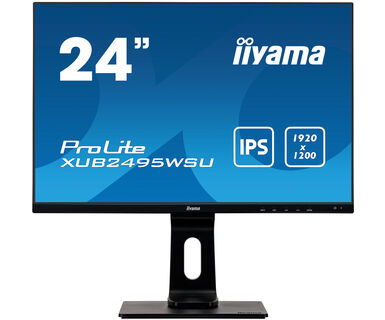

iiyama XUB2495WSU-B3
- Monitors
- 24″
- Full HD
- LCD / LED
Uses 6% more energy than the average for 24-inch monitors on Wattabill (1887 models).
Running cost at a glance
- €11.04 per year
- €110 over 10 years
- 39 kWh per year
- 8.2 kg CO₂e per year from electricity use
Your country and usage
- Electricity at €0.2832 per kWh (household price with taxes, Eurostat 2026-S1).
- 210 g CO₂e per kWh generated in 2023 (European Environment Agency). Counts use only, not manufacturing.
We assume prices stay the same over the years.
Electricity prices in all EU countries
Same size and resolution, cheaper to run
Models on the market with the same screen size and resolution as the iiyama XUB2495WSU-B3 that use at least 5% less energy.
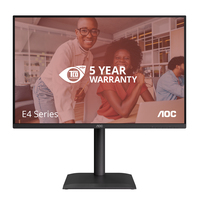
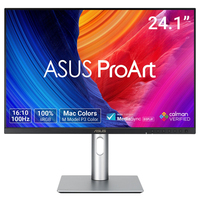

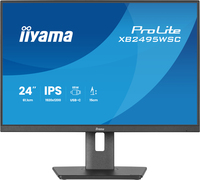
About this model
Text from the manufacturer, via Icecat.
Providing excellent performance for graphics applications and CAD, and ideal for Universities, Corporate and Financial Markets. The ProLite XUB2495WSU-B3 features an IPS panel offering accurate and consistent colour reproduction with wide viewing angles. The 1920 x 1200 native screen resolution and a height adjustable stand with portrait mode functionality guarantee great comfort of use.
IPS TECHNOLOGY
IPS technology offers higher contrast, darker blacks and much better viewing angles than standard TN technology. The screen will look good no matter what angle you look at it.
Read more
HAS + PIVOT
With a height adjustable stand you will create an ergonomic work posture and position that meets all health and safety requirements. This will not only prevent any health issues but will also increase your productivity. The pivot function allows the screen to rotate from landscape to portrait orientation. This functionality can be useful if the application requires more height than width.
BLUE LIGHT REDUCER
As we all know looking at a monitor screen for several hours per day, especially form a closer distance, causes eye fatigue. This effect is much stronger with computer screens than with TV equipment. One of the factors responsible for this phenomenon is the blue light emitted by the screen. Therefore reducing the amount of blue light ultimately allows our eyes to feel less tired while working long hours with a computer screen. We achieved it by adjusting the monitor's brightness and color temperature through a new feature called “Blue light reduction” easily accessible through the monitor’s OSD menu.
SPEAKERS AND HEADPHONES
Playing with friends? Use the integrated high-quality speakers. Don’t want to disturb anybody? Plug your headset into the headphone socket and turn the volume up.
OVERDRIVE ON / OFF
When very fast graphics are displayed your monitor can sometimes get blurry. Turning on the OverDrive feature will eliminate that.
Specifications
| Brand | iiyama |
|---|---|
| Model | XUB2495WSU-B3 |
| Energy class | E |
| Screen size | 24″ (61.1 cm) |
| Power in on mode (SDR) | 17.8 W |
| Standby | 0.4 W |
| Off mode | 0.3 W |
| Resolution | 1920 × 1200 |
| Aspect ratio | 16:10 |
| Panel | LED LCD |
| Refresh rate | 60 Hz |
| Power supply | Internal |
| Guaranteed support | 7 years |
| Software updates | 8 years |
| Spare parts available | 7 years |
| On the market since | March 1, 2021 |
| EPREL registration number | 371088 |
Source: EPREL, European Commission. Data updated October 13, 2026.
Product description and images: Icecat (Open Icecat), provided as is, without warranty.