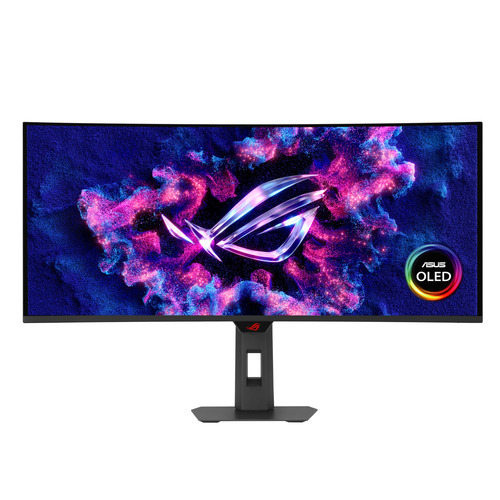

ASUS XG34WCDG
- Monitors
- 34″
- QHD
- OLED
Uses 3% more energy than the average for 34-inch monitors on Wattabill (559 models).
Running cost at a glance
- €20.30 per year
- €203 over 10 years
- 70.1 kWh per year
- 15 kg CO₂e per year from electricity use
Your country and usage
- Electricity at €0.2896 per kWh (household price with taxes, Eurostat 2025-S2).
- 210 g CO₂e per kWh generated in 2023 (European Environment Agency). Counts use only, not manufacturing.
We assume prices stay the same over the years.
Electricity prices in all EU countries
Same size and resolution, cheaper to run
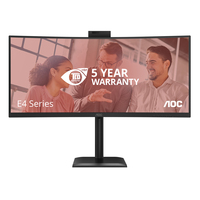
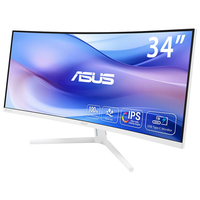
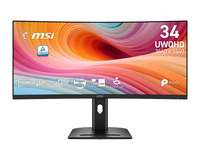
Models on the market with the same screen size and resolution as the ASUS XG34WCDG that use at least 5% less energy.
About this model
Text from the manufacturer, via Icecat.
- 34-inch 3440 x 1440 QD-OLED gaming monitor with 175Hz refresh rate and 0.03ms response time
- New ASUS OLED Care Pro functions with Neo Proximity Sensor that precisely detects when the user is away, switching to a black screen to reduce the risk of burn-in
- VESA DisplayHDR™ 400 True Black compliance, 99.3% DCI-P3 gamut, true 10-bit color, and Delta E < 2 color difference for astonishing HDR performance, making it perfect for photo and video editing
- Exclusive ASUS DisplayWidget Center application allows users to easily access OLED Care Pro functions and adjust monitor settings using a mouse
- ROG Gaming A.I technology with AI-powered features to enhance users' gaming experience
ROG IMMERSIVE GAMEPLAY
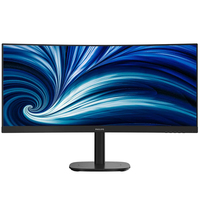
Designed for discerning gamers and professional creators, it offers a resolution of 3440x1440 and 1800R curvature for smooth and immersive gaming visuals.
ASUS OLED CARE PRO .
New ASUS OLED Care Pro technology provides a full set of customizable monitor settings to protect the OLED panel and ensure longevity. Plus, it includes the new Neo Proximity Sensor that detects your distance from the monitor and transitions to a black image when you’re away to safeguard the panel from burn-in. All settings can be easily managed via DisplayWidget Center.
Read more
Neo Proximity Sensor
The built-in Neo Proximity Sensor precisely detects your distance from the monitor. When you step away, the monitor transitions to a black image to protect against panel burn-in, and instantly restores onscreen content when you return. Detection distance can be customized to suit personal preference, ensuring maximum convenience and protection..
Worry-free OLED Monitor
ROG OLED monitors are engineered to deliver stunning visuals for years to come. An innovative custom heatsink and a unique internal airflow improve cooling and reduce the risk of burn-in.
DisplayWidget Center
Take your monitor to the next level with DisplayWidget Center, a powerful monitor management software designed to help you optimize, personalize, and fully utilize your display via a mouse — so there’s no need to access the OSD menu. Additionally, DisplayWidget Center notifies you of the latest firmware updates and includes a direct update option. You can also import or export display configurations for sharing.
ROG GAMING AI TECHNOLOGY
The ROG Gaming AI Assisant technology in XG34WCDG includes AI Visual, Dynamic Crosshair, and Dynamic Shadow Boost, leveraging AI technology to help you practice more effectively to improve your gaming experience.
Uniform brightness
When activated, the ROG-exclusive Uniform Brightness* setting within the OSD menu decreases peak brightness to keep levels consistent for better viewing—even when changing the size of bright white windows. It also makes marathon gaming sessions much more comfortable on the eyes.
VIRTUAL SCREEN
The ASUS Virtual Screen feature allows windows system to recognize one monitor as two independent display so you can create a virtual display with 1:1, 2:1 or 1:2 formats. With this you can use single source* to open two windows at the same time with ease, enjoy your gameplay or YouTube video in a fixed 16:9 window without black bars while use another chat room or streaming APP as an independent display at the same time.
SMOOTH AND RESPONSIVE
The XG34WCDG features AMD FreeSync Premium Pro technology and NVIDIA® G-SYNC® compatibility, ensuring supersmooth, tear-free visuals with low latency.
Rich Connectivity
Extensive connectivity options such as DisplayPort™ 1.4 with Display Stream Compression (DSC), HDMI® 2.1, USB-C with 15-watt Power Delivery, and a USB hub provide support for a wide array of multimedia devices.
Ergonomic stand
The specially designed stand offers tilt, swivel, and height adjustments for the ideal viewing position. The display is also VESA wall-mount-compatible.
Specifications
| Brand | ASUS |
|---|---|
| Model | XG34WCDG |
| Energy class | F |
| Screen size | 34″ (86.8 cm) |
| Power in on mode (SDR) | 32 W |
| Energy class (HDR) | G |
| Power in on mode (HDR) | 50 W |
| Standby | 0.5 W |
| Off mode | 0.3 W |
| Resolution | 3440 × 1440 |
| Aspect ratio | 21:9 |
| Panel | OLED |
| Refresh rate | 60 Hz |
| Power supply | Internal |
| Guaranteed support | 7 years |
| Software updates | 8 years |
| Spare parts available | 7 years |
| On the market since | May 23, 2025 |
| EPREL registration number | 2339195 |
Source: EPREL, European Commission. Data updated October 13, 2026.
Product description and images: Icecat (Open Icecat), provided as is, without warranty.